



Picto Extranet Picto Map

Data recovery from a corrupted Microsoft SQL Server database

Experts in corrupted MSSQL database recovery

Specialised Expertise

Corrupted table recovery, file management, index repair, and more

Tailored approach

Ad hoc solutions designed to address your company’s specific needs

Data security

Data security first: a French laboratory with over 25 years of experience.

A Microsoft SQL Server database corruption can have critical consequences: business interruption, loss of business data, and unavailability of ERP, CRM, or production software applications.

RECOVEO provides Level 3 database recovery services to restore deleted databases, recover corrupted data files, and repair damaged systems. IT teams around the world trust us, and we often step in after one or more providers have failed.

We primarily work on strategic databases with high business value.

Don’t panic — we’re here to help.

Level 3 MSSQL Database Recovery Services

Recoveo’s engineers specialize in database recovery at both the hardware and logical levels.

The restoration of deleted databases and recovery from corrupted files on MS SQL Server are performed on databases hosted on-premises, in the cloud, or in hybrid environments.

We offer a 24/7 emergency recovery service to meet your availability requirements.

Why we deliver better results

Most providers stop at automated tools — Level 2. The 3 levels of service:
  1. Internal mechanisms such as DBCC CHECKDB, DBCC CHECKTABLE, DBCC CHECKALLOC, DBCC PAGE, and DBCC IND.
  2. Automated MSSQL database repair software.
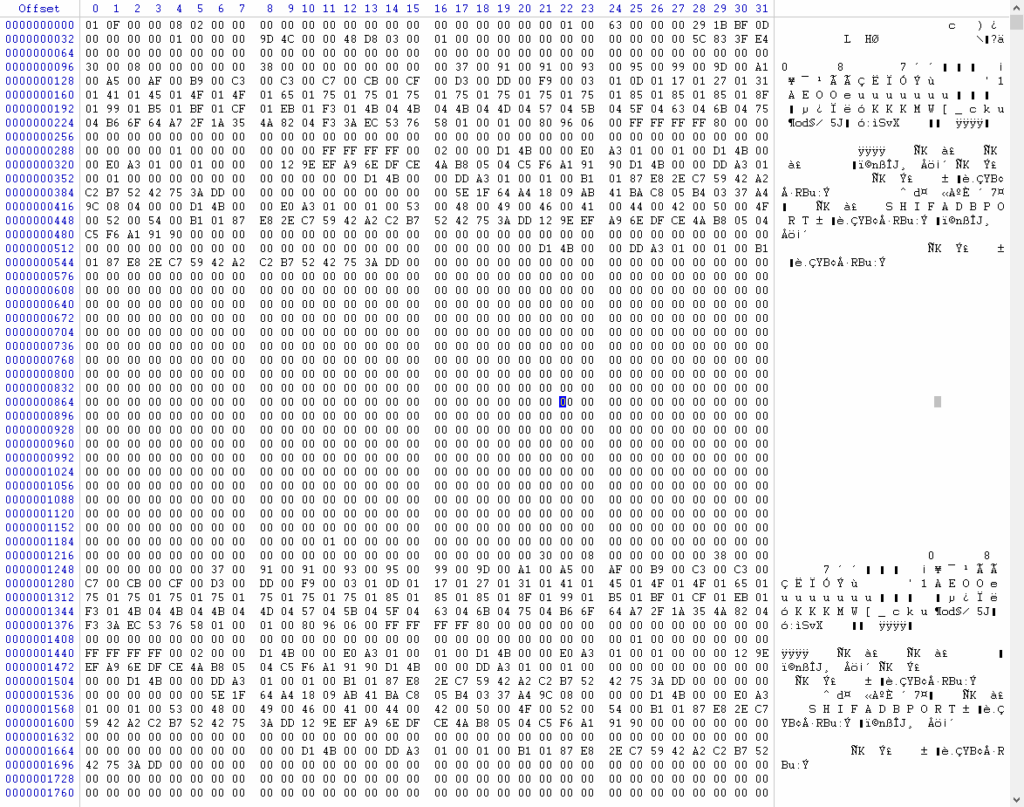
  3. Manual hexadecimal-level reconstruction by Recoveo.
We generally recover between 30% and 50% more data than software tools, and up to 100% in highly technical cases where software tools deliver no results.

Software vs. Experts: Differences in Recovery Effectiveness

Features Automated software without real understanding Manual operation with expertise
Recovery success rate 50 to 75% 70 to 100%
Technical support Very little engineering expertise in support Data recovery engineers
Data integrity validation Disappointment after purchase Full control

Our Process for Recovering Corrupted SQL Databases

We have over 25 years of experience in data recovery. Trust the French leader: our expertise enables us to provide you with a very high-level response. We have cutting-edge knowledge of advanced database recovery methods.
Extraction

Extracting files from physical hardware or a virtual machine

Create

A copy of the files before any manipulation

Integrity scan

At page level

Repair

of pages at hexadecimal level

Internal Testing

and a report including a precise list for the client

Validation

of the data and secure transfer

Remote intervention on corrupted databases

By transfer

Outbound transfer: You upload your damaged files to our secure FTP server.
Intervention: We work directly on the files.
Testing: Tests can be carried out on a virtual machine hosted on our servers.
Return transfer: You download the healthy files.

On your server

For certain sensitive cases, we can work directly on your servers.

Service levels

We offer flexible service plans to meet your unique needs and budget considerations.

24/7

- On-call processing
- 24/7/365
- Dedicated team
- Average turnaround time: 1 to 3 business days

Urgent

- Priority processing during business hours
- 1 dedicated engineer
- Average turnaround time: 3 to 7 business days

Standard

- Processing during business hours
- 1 shared engineer
- Average turnaround time: 7 to 14 business days

Supported file types

  • MDF (Primary Data File)
  • NDF (Secondary Data File)
  • LDF (Transaction Log)
  • BAK backups
  • Differential backups
  • Transaction log backups

Our SQL Crash Recovery Offer

Need emergency recovery ?

We respond quickly with a transparent, fixed-price offer.

Budget: From €600


Take advantage of our free diagnostic offer during business hours until December 15, 2026!

Factors that affect the final cost

  • Urgency: We offer 3 levels of responsiveness. If you need an expert on a Sunday evening, expect a 50% to 100% surcharge compared with the standard rate.
  • Encryption and compression: Depending on the encryption or compression settings enabled, the level of complexity may vary.
  • Data volume and sensitivity: Repairing a table with 10,000 rows does not involve the same level of responsibility — or processing time — as working on a 2 TB database containing encrypted banking or medical data.
💡 Time-saving tip: Before contacting us, prepare the groundwork. Provide us with the exact error logs, the schema, the precise SQL version used, and make sure you have, where possible, a backup copy of the current state, even if corrupted. Look for an old backup or a previous working version of the database, as this may help us. Prepare a clear explanation of what happened to the database and describe where the database is stored. The less time the expert spends identifying the source of the problem, the lower the final cost is likely to be.

How do we restore corrupted SQL databases?

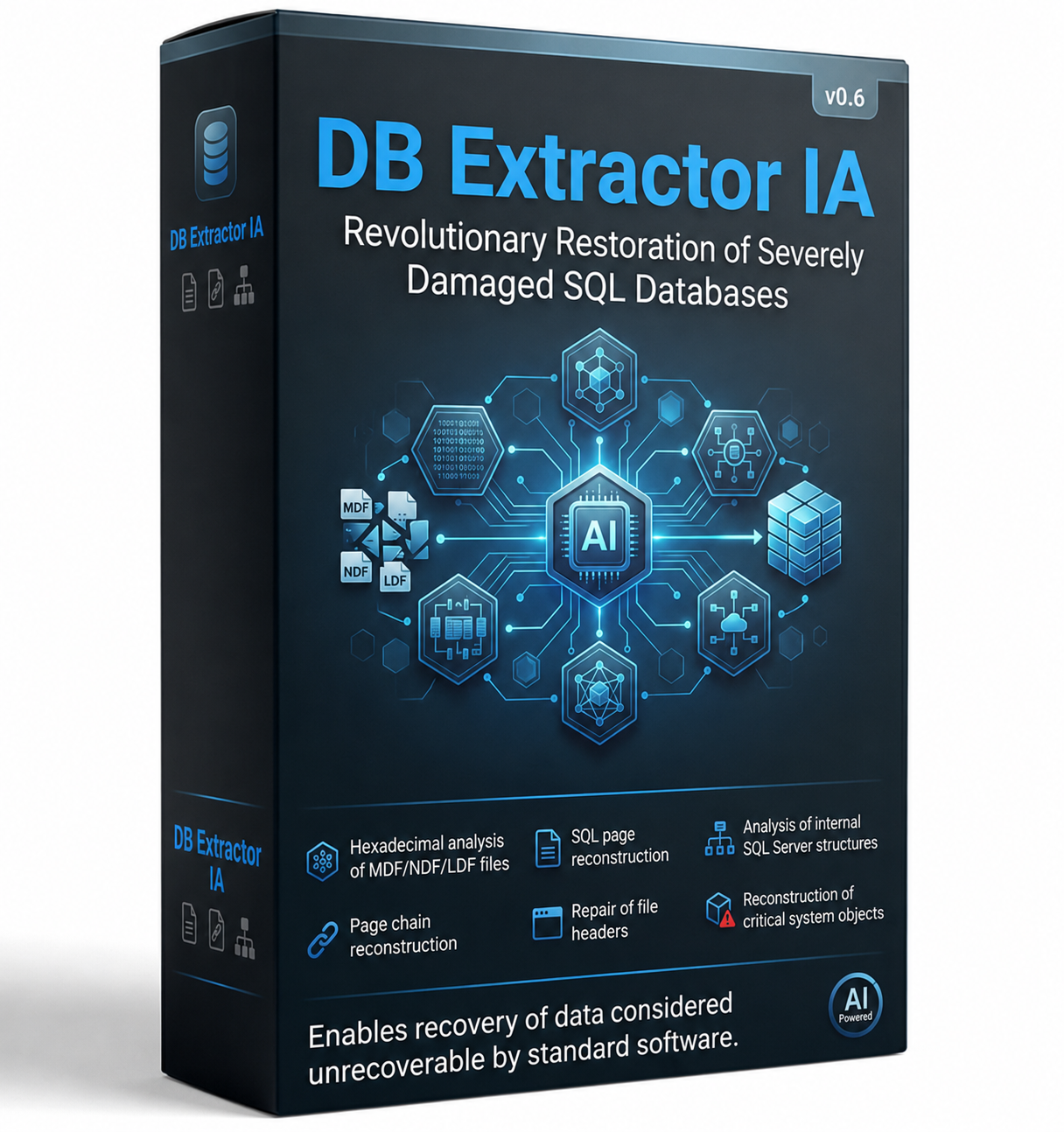
Discover the DB Extractor AI v0.6 innovation

Powered by the latest innovations in generative AI, our proprietary tool orchestrates an intelligent agent dedicated to complex data extraction. A revolutionary approach to restoring your SQL databases, even when severely damaged. It enables:
  • Hexadecimal analysis of MDF/NDF/LDF files
  • SQL page reconstruction
  • Analysis of SQL Server internal structures
  • Page chain reconstruction
  • File header repair
  • Reconstruction of critical system objects
This approach can sometimes recover data considered unrecoverable by conventional software tools.

Une version de démonstration est disponible sur demande.

Main causes of SQL Server corruption

Our specialists handle all types of SQL Server corruption, whether caused by:

Hardware failure: RAID, SAN, NAS, SSD, or physical server issues, including disk read errors, RAID controller failure, or overheating. Power outage: Sudden server shutdown while a transaction was being written. Bugs: Virtual machine or hypervisor corruption
Backup failure or unusable backup
Driver or OS issues: An operating system crash that corrupts the file system (NTFS/ReFS).
Problems related to software updates
Antivirus software scanning and locking `.mdf` or `.ldf` files
Failed backup or restore operations
Human error: Accidental deletion of databases, tables, or data files
Malicious activity: Database encryption by ransomware
Intentional deletion
Corrupted or missing files: Corruption of MDF, NDF, or LDF files reported as “Suspect” or “Recovery Pending”.
Unsuccessful attempts: Publisher support unable to resolve the issue, despite Level 3 escalation
Failures or poor results from commercial recovery tools

How to recognize MSSQL corruption: common error messages

Database corruption often appears through explicit error messages when running queries or in the SQL Server <em>Error Log</em>.

Here are the most common alerts:

* Error 823 / 824: Indicates a logical or physical read/write error related to the storage subsystem, often a data page error.

* Error 605: Attempt to retrieve a logical page that does not belong to the specified object.

* “SUSPECT” status: SQL Server could not open the database because the `.mdf` or `.ldf` file is damaged.

First steps: what to do — and what NOT to do

GOLDEN RULE:

Do not attempt anything without first creating a backup copy.

TO DO :

- Immediately create a physical copy — at OS level — of your current `.mdf` and `.ldf` files, if SQL Server allows it after stopping the service.

- Check the status of your most recent backups (`.bak`).

NOT TO DO :

- Do not detach a database in Suspect mode. You may never be able to attach it again.

- Do not repeatedly restart the SQL Server service hoping for a miracle; this can worsen corruption in the log files.

Success story

⭐⭐⭐⭐⭐

Why Recoveo can help

Experience

With more than 5,000 data recovery cases handled each year, we have adapted our tools and processes to achieve successful outcomes.

SQL Recovery Specialist

Since 2019, we have been developing our tools specifically for data recovery from SQL database files.

Rapid

Our software tools have been rewritten to speed up the repair process even further and enable you to reimport your data faster.

Free assessment

We offer to prove our expertise through a free analysis of a file of your choice. Simply send it to us.

FAQ

MS SQL Database Recovery Services: Everything You Need to Know

Golden rule: Do not panic and create a cold backup copy, if possible, of your current .mdf and .ldf files before attempting anything. If an operation fails, you must be able to return to the initial state. Then run the standard diagnostic command to assess the extent of the damage.
DBCC CHECKDB ('Your_Database_Name') WITH NO_INFOMSGS, ALL_ERRORMSGS
This command checks the logical and physical integrity of all database objects, including tables, indexes, allocations, and catalogs. At the end of its execution, it displays the number of errors found and, most importantly, the minimum repair level required.
If the CHECKDB report recommends a repair, you must switch the database to single-user mode (SINGLE_USER) and run one of the following two options:
  • REPAIR_REBUILD: The preferred option. Repairs the database, often by rebuilding indexes, with no risk of data loss.
  • REPAIR_ALLOW_DATA_LOSS: To be used only as a last resort. As its name suggests, SQL Server repairs the structure by simply removing the corrupted data pages.
If the database is in SUSPECT mode, DBCC CHECKDB will not be able to run directly. You must force the database into EMERGENCY mode to allow read-only access and attempt a repair
If you do not have a backup, the database is inaccessible, and REPAIR_ALLOW_DATA_LOSS fails — or you refuse to risk losing critical data — specialized recovery tools such as Stellar Repair for MS SQL, SysTools SQL Recovery, Kernel for SQL Database Recovery, and others may be useful. These tools scan the raw .mdf file directly to extract tables and scripts without relying on the SQL Server engine. However, results can be limited, as these tools do not provide a comprehensive approach to data loss. In many cases, the process is restricted to automated operations, whereas our service goes much further. We generally recover between 30% and 50% more data.
Although this approach may be tempting, it involves risks. We recommend cloning your storage media before taking any action. In our experience, rushing unfortunately destroys many chances of successful recovery. A wrong operation can end up costing more than professional recovery.
To maximize the chances of recovering your data, we recommend that you carefully follow these instructions:
  • Shut down or stop using the affected device. This prevents file overwriting, a particularly high risk on SSDs due to automatic cleanup commands such as TRIM/UNMAP.
  • Contact Recoveo’s experts as soon as possible for a free assessment.
  • Do not attempt anything on the affected system. Any manipulation or recovery attempt must be performed from another machine.

Yes. We recover corrupted or deleted data files from damaged virtual environments or failed RAID systems.

Not at all. If your storage device is not physically damaged, we can recover your database remotely and securely. In the event of hardware damage, don’t worry: we will guide you through the next steps and send you a free shipping label so you can send us your device.

Blog resources

Déchiffreur ransomware inefficace : Comment nous avons sauvé une entreprise allemande en 72h

Payer une rançon ne garantit jamais la récupération de vos données. C’est la dure leçon apprise par une entreprise allemande d’une quinzaine de personnes, victime du ransomware Akira. Après l’échec de la clé de déchiffrement des pirates et d’un premier laboratoire, nos ingénieurs ont pu réussir. Voici les coulisses de ce sauvetage express. Sommaire 1. L’attaque Akira : Un cœur de métier paralysé Le 10 mars dernier, une entreprise allemande subit une intrusion majeure. Le

More details

Cellule d'urgence ransomware

Ligne direct 24/7

Contactez dès à présent nos experts pour vous accompagner et accélérer votre reprise d’activité.

Whatsapp